How to add video to your posts and blogs

Diana
Diana on Friday, February 27 2015
9 Comments

Hi All,

Here are the instructions on how to add video to your blogs and foum posts.

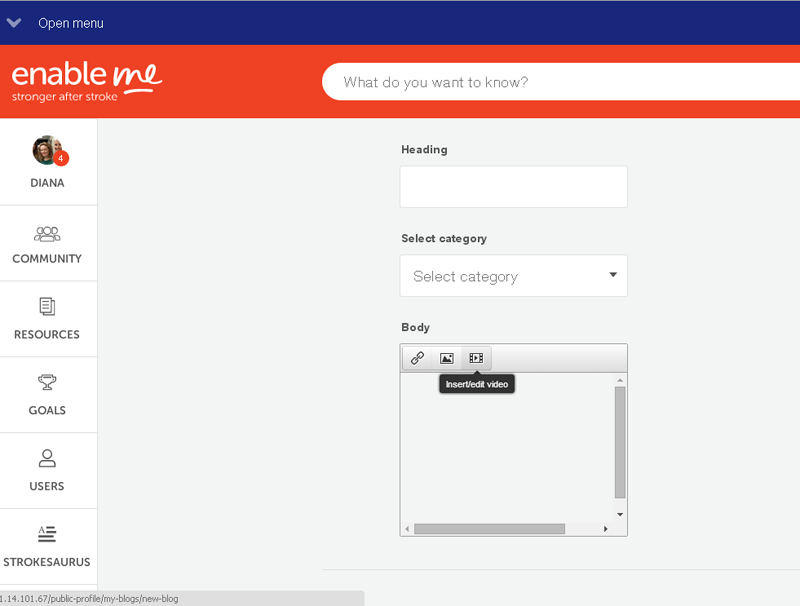
Step 1:

Click on the add video button in the content box
Step 2:

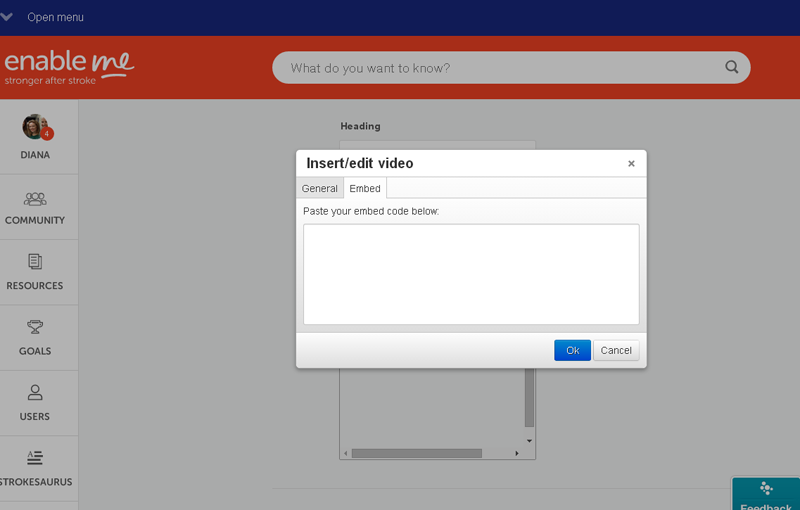
Click on the embed button
Step 3:

Go to Youtube or Vimeo and get the embed code. Here is a picture of where to access the embed code from Youtube:
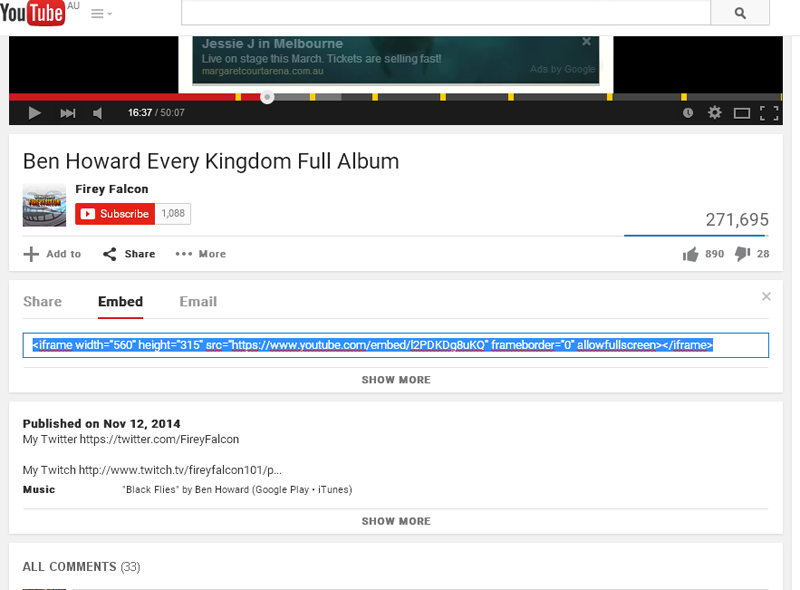
Copy the embed code from Youtube and paste it into enableme (see image 2 in this post.

As clear as mud people. If you are having trouble message me in enableme or post a comment here.

9 Responses

How can I add videos I have made at home? Have tried without success

Deigh

Hi Deigh,

Where is your video housed, on vimeo or on youtube?

Diana

Hi Deigh, you can only post video that is already hosted on the web somewhere.  So what you do is load your home created video onto another site and then tell Enable Me that you want it to play a video that's already on youtube or vimeo etc. The embed code tells this site how to find your video on some other site.

-Heather


Hi Heather,

Cheers, great reply.

Deigh, you can also message me, and we can look at uploading your video into our channel and you can share from there.

Diana

May have got it sorted! 

This forum is a struggle to negotiate, when are we going back to the old one?

Deigh

Hi Deigh,

It's still early days, we'll keep improving the forum.

Please stick with it and drop us a line of the things you think need a bit of work.

-Ian

Deigh, the old forum couldn't/didn't do video at all.  We had to do with photos what we have to do here for video.  So in this regard the new forum is heaps better than the old one.  If they get the blogs stuff sorted out we'll be on easy street.

-Heather

1
Loading reply form...