Following topics and bookmarking

With so much great content on EnableMe, how do you keep track of what interests you the most?
Are there topics that are particularly relevant to you?
Have you found a resource or post that you want to come back to later?
EnableMe has features that allow you to follow the topics most interesting to you, and to bookmark content so that you can easily find it later.
Following topics
When you follow a topic, any new resources, blogs or forum posts under that topic will show up on your ‘My Feed’ page. This makes it easier to find content that you are interested in.
To follow a topic:
1. Make sure you are signed in.
2. Go to your navigation menu. The main navigation menu is to your left.
3. Click on your display name.
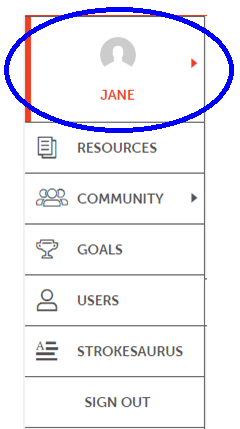
4. Your navigation menu will appear.
5. Click on My Topics.
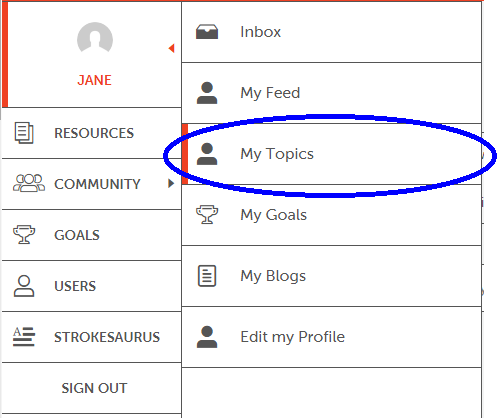
6. You are now at the My Topics page.
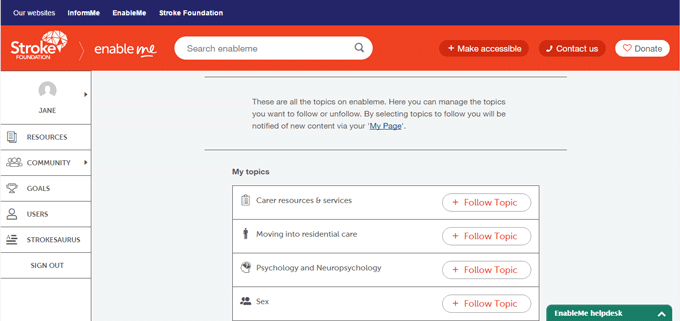
7. Click the Follow Topic button beside the topic you are interested in.

To stop following a topic, click the Following Topic button beside it a second time.

Bookmarking
Bookmarking allows you to save pages and resources to come back to later. You can find your saved pages in ‘My Bookmarks’ from the My Feed page.
To bookmark a page:
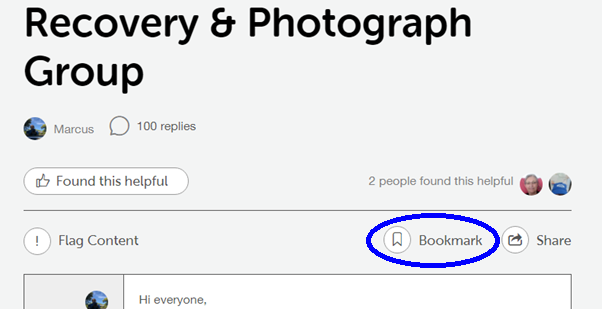
When you are on the page you want to keep, click on the bookmark button at the top of the page or beside the resource.
For instance, on a forum page:
Or on a list of resources:
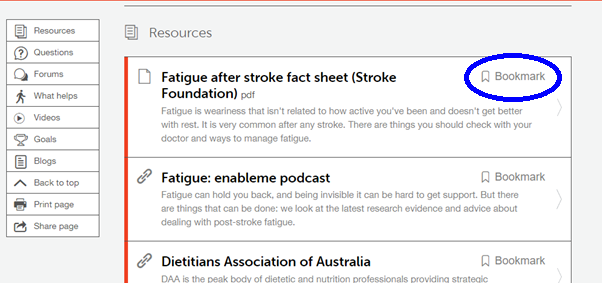
To find saved bookmarks:
1. Make sure you are signed in.
2. Go to your navigation menu. The main navigation menu is to your left
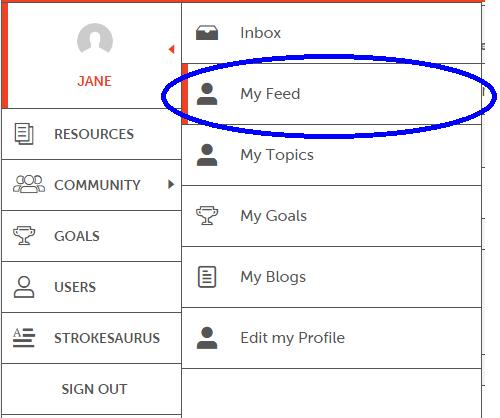
3. Click on your display name.
4. Your navigation menu will appear.
5. Click on My Feed. You will then see a row of tabs along the page.
6. Click on My Bookmarks.

7. You are now at the My Bookmarks.
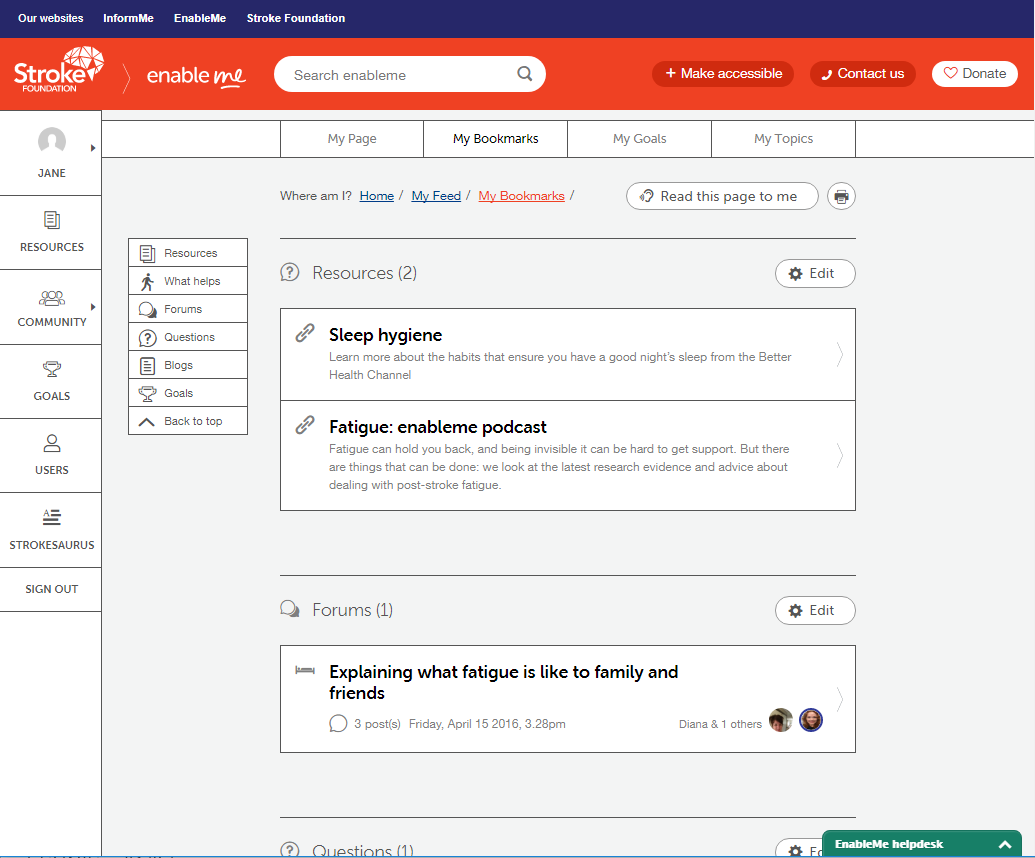
8. Click on the bookmark to visit the page.
If you get stuck with this, please contact the helpdesk through the online chat at the bottom of each page (see our previous blog post on online chat), by calling 1800 130 150, or email us on help@enableme.org.au.
The helpdesk has been made possible through the kind support of Bupa Health Foundation.